Step1
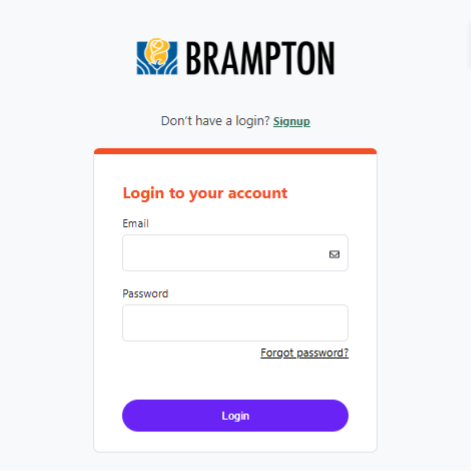
Log into the City of Brampton's Recreation registration system at CityOfBrampton.PerfectMind.com.
Step2
On the top banner, click "Memberships and Visits".

Step3
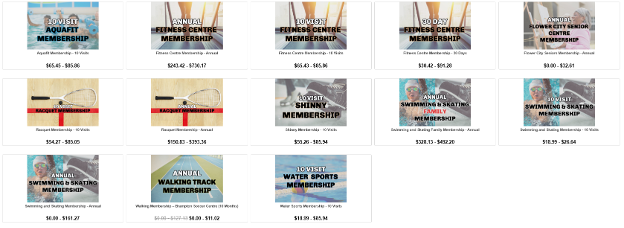
Select the membership you would like to purchase.
Step4
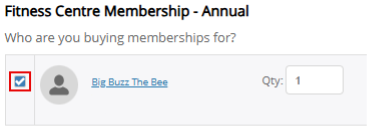
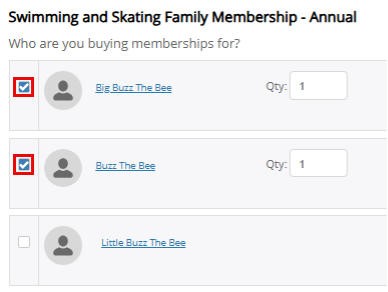
Ensure the correct membership holder is selected.
Note: If you are purchasing a Swimming and Skating Family Membership, be sure to select all the members of your family that you would like to include in the membership.
Step5
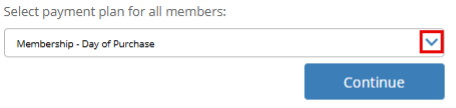
If you would like to schedule monthly payments for this membership (available for select annual memberships), select "Membership – Day of Purchase" as your payment plan. Click "Continue".
Note: Monthly payments must be scheduled on a credit card saved to your Finance Information.
Step6
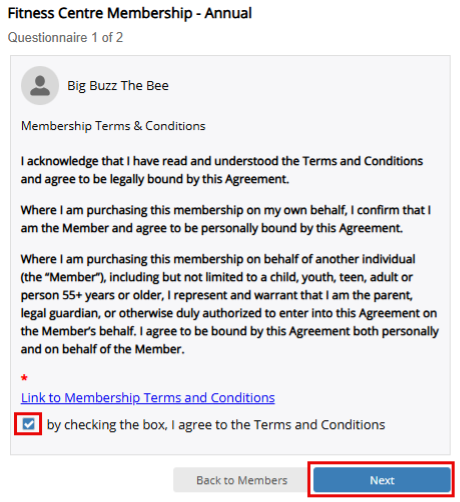
Read the Membership Terms & Conditions, then select the checkbox labelled "By checking the box, I agree to the Terms and Conditions." Click "Next" to review and accept the Terms & Conditions for each family member included in the membership. Once each family member has accepted, click "Add to Cart".
Note: Terms & Conditions must be accepted for all family members before proceeding.
Step7
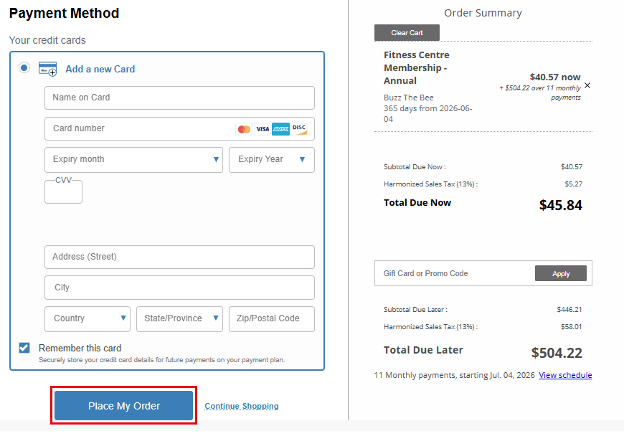
Select your method of payment and click "Place My Order".
Step8
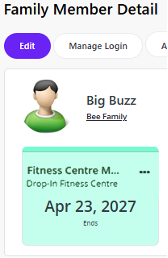
Once your transaction is complete, navigate to "My Info". Under the membership holder's profile you will now see a green tile, which indicates an active membership.